Standardize Work. Train Faster. Scale Smarter.
Create How-To Guides, SOPs, Training Manuals, and Policies in minutes. Use AI to polish and customize your documentation, then share it with your team.
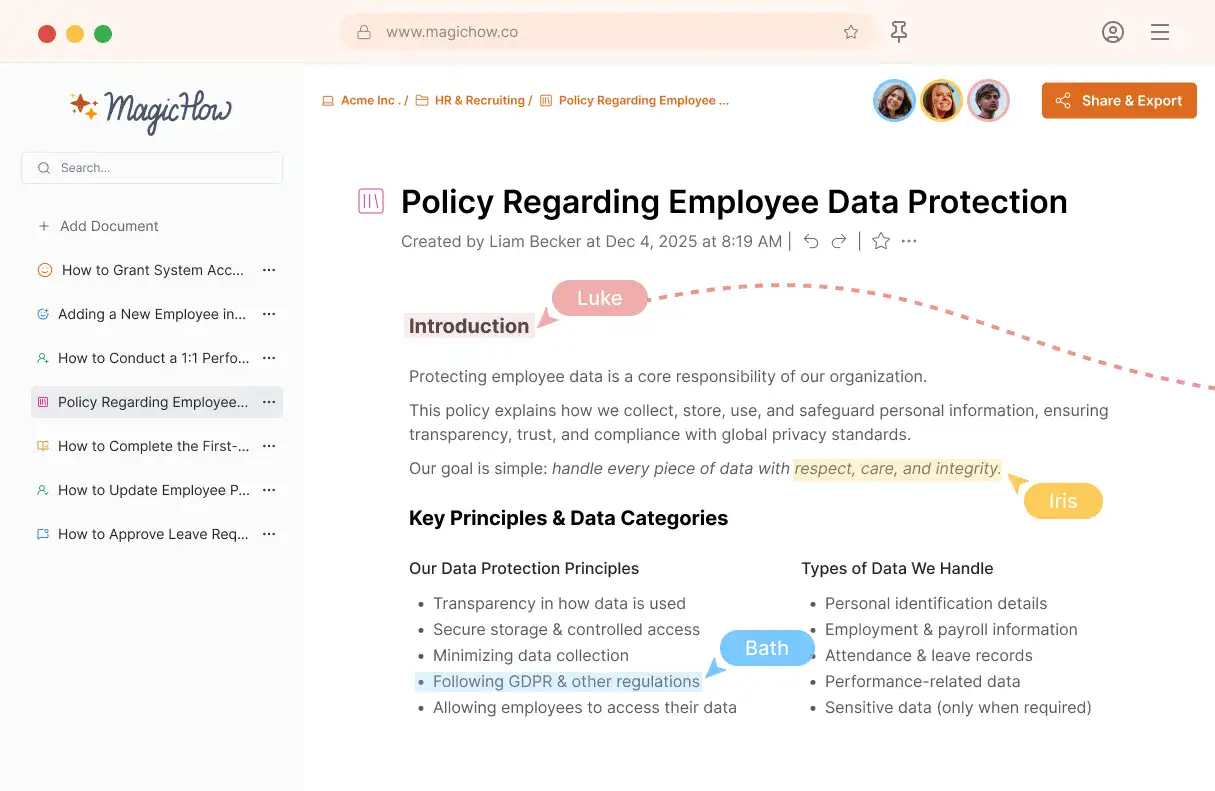
Collaborative Real-Time Editor
Edit guides, SOPs, and policies with your team in real-time. Multiple members can work on the same document at the same time without risking lost changes or editing conflicts.
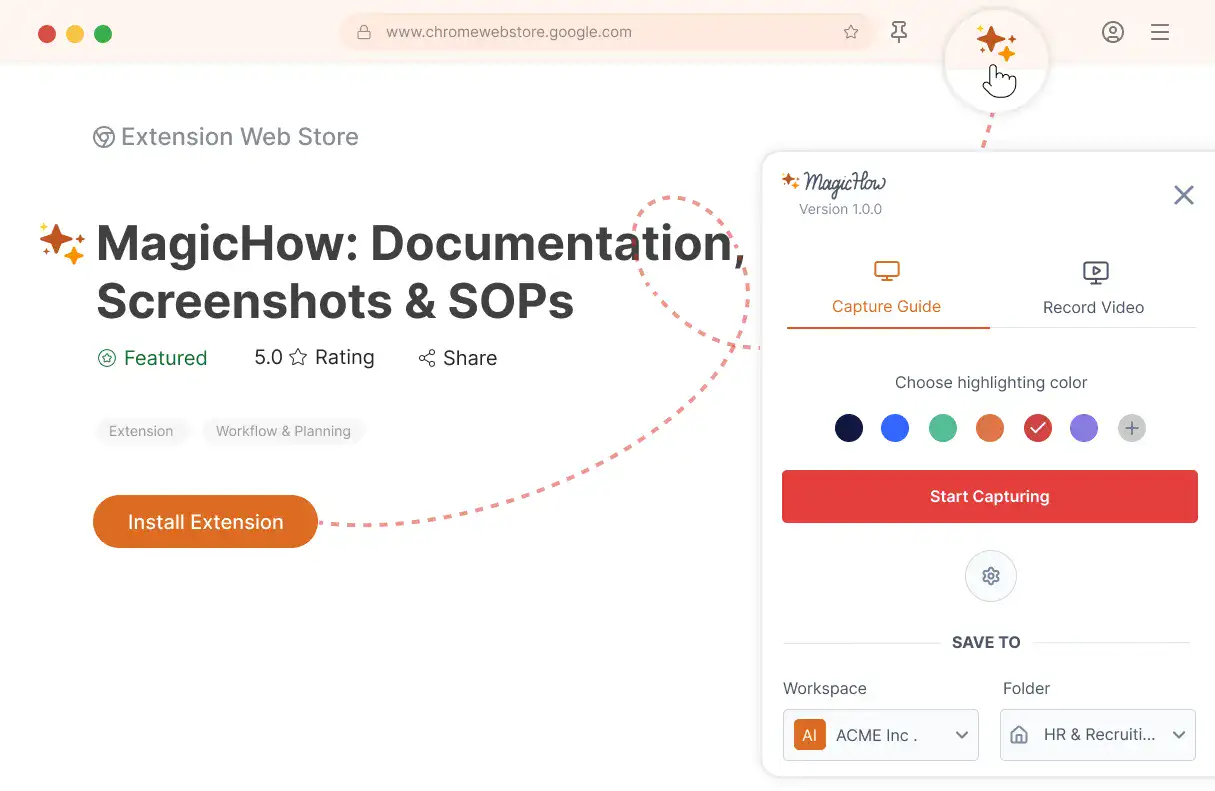
Browser Extension
Document your processes instantly with our browser extension. Capture step-by-step guides and record videos directly in your browser, no interruptions, no extra effort.
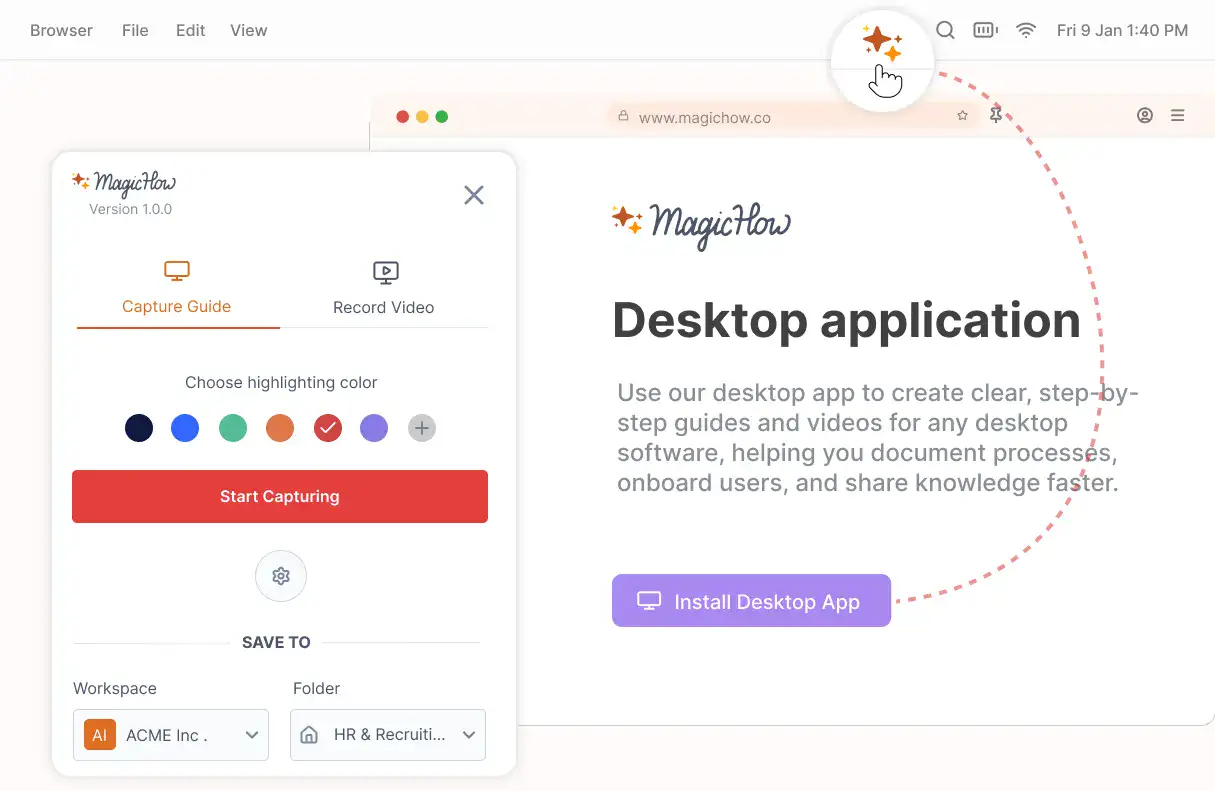
Desktop Application
Document your processes across your entire computer with our desktop application. Automatically capture actions, create guides, and record videos from any application without slowing down your work.
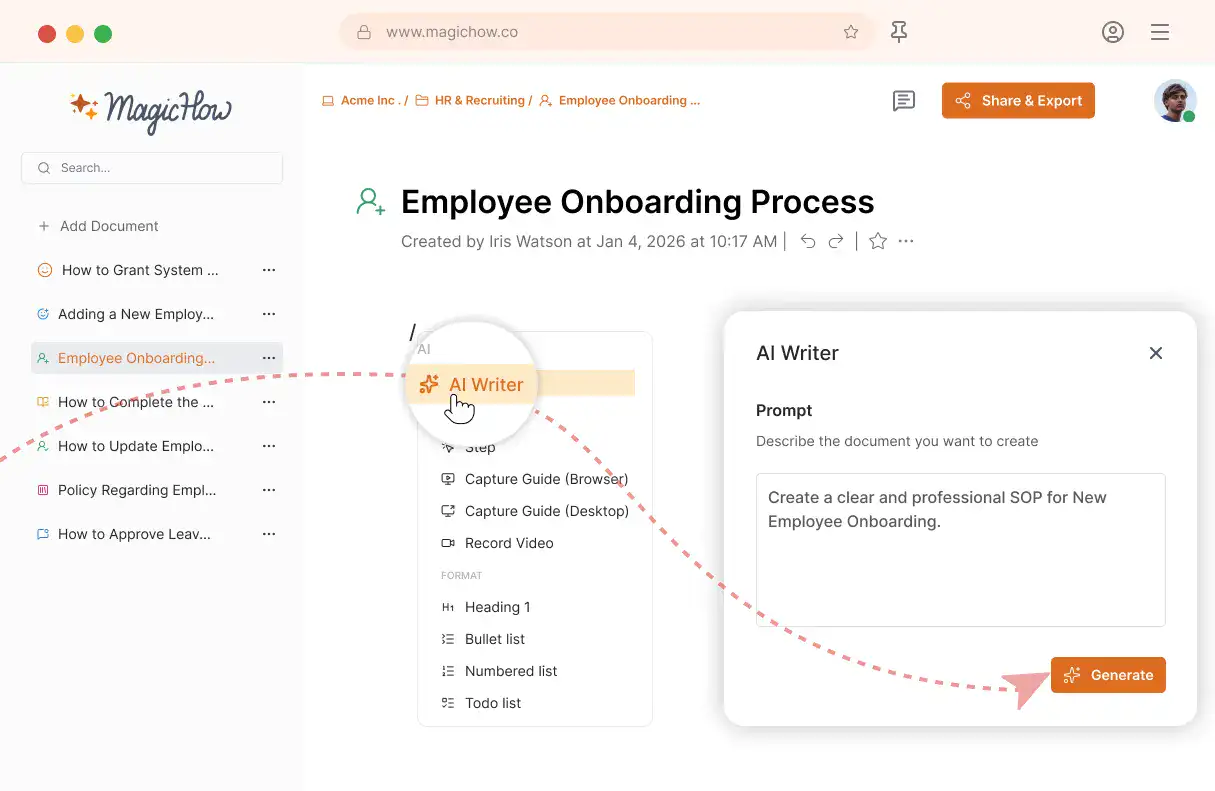
AI Writer
Generate descriptive text, policies, and supporting content for your guides. Let AI speed up your writing and keep your documentation clear and professional.
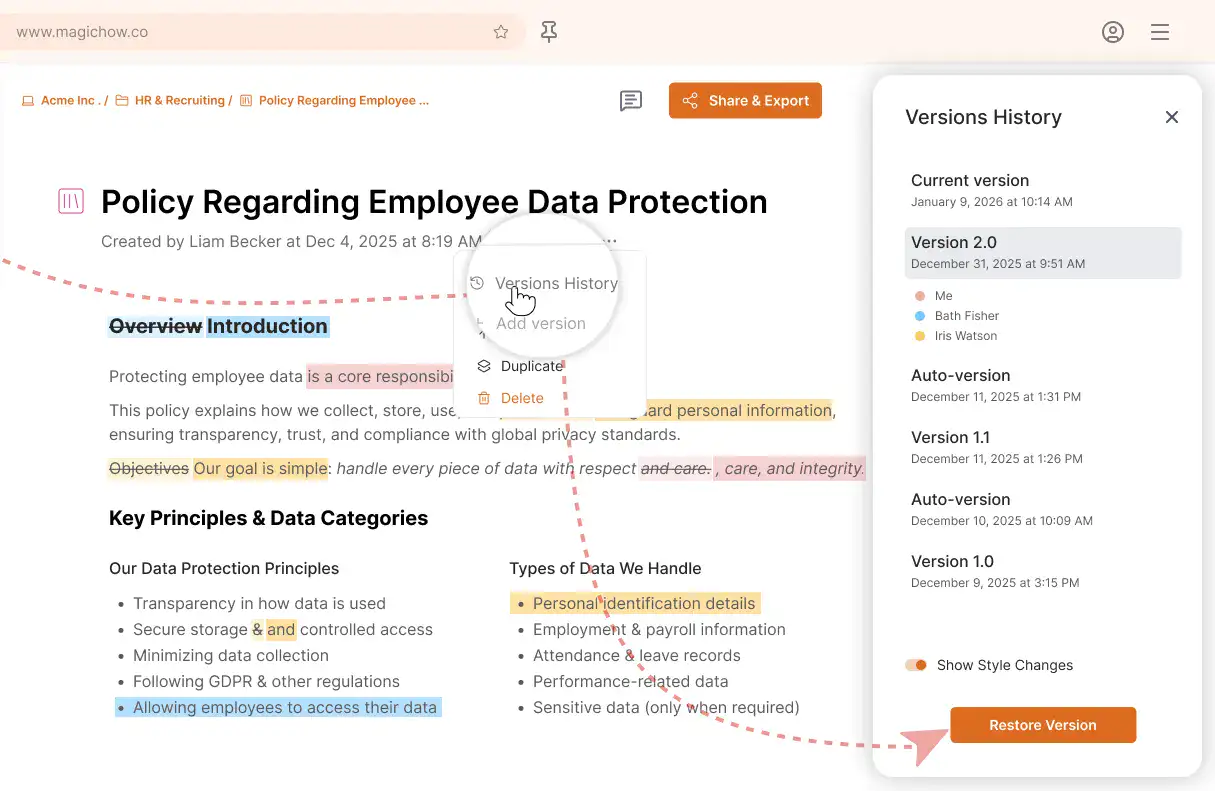
Version History
Version history lets you see every edit, revert changes, and stay in control of your documents. Perfect for team collaboration and accountability.
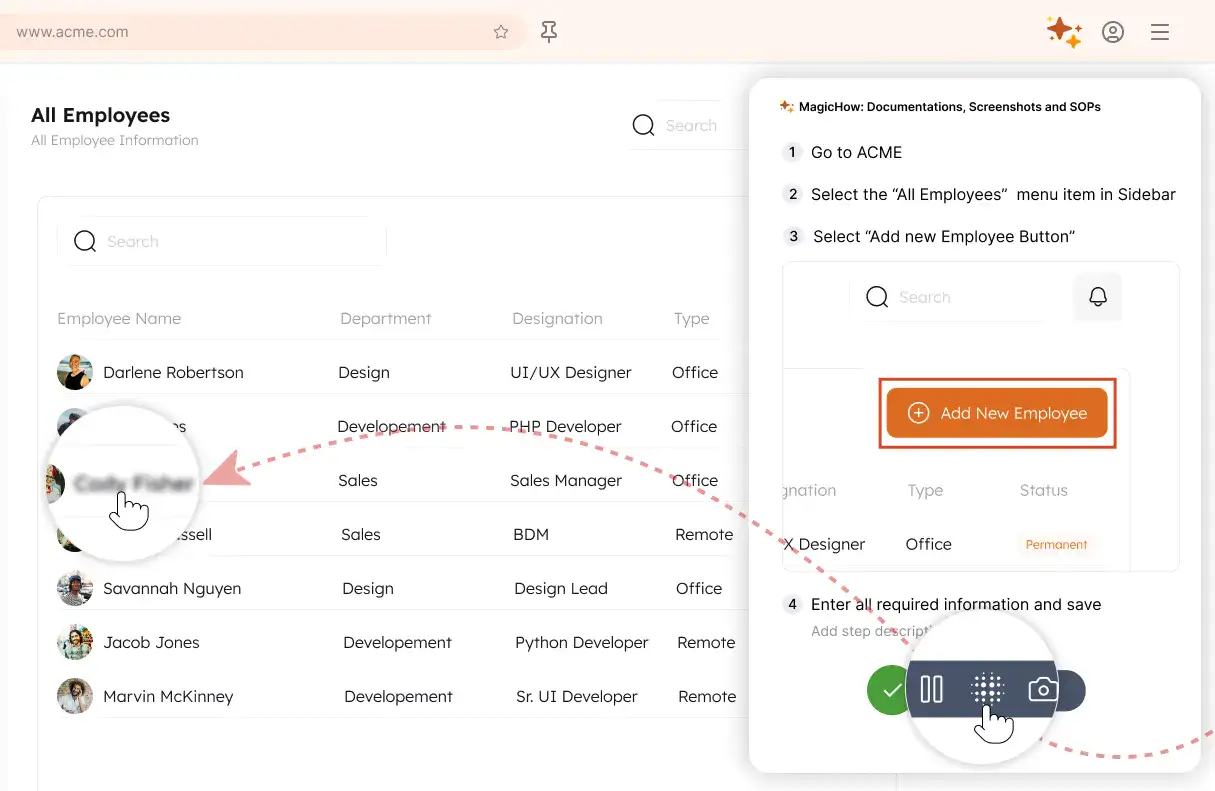
Blur Sensitive Information
Protect confidential data by easily blurring sensitive sections in screenshots and videos. Maintain security without slowing down guide creation.
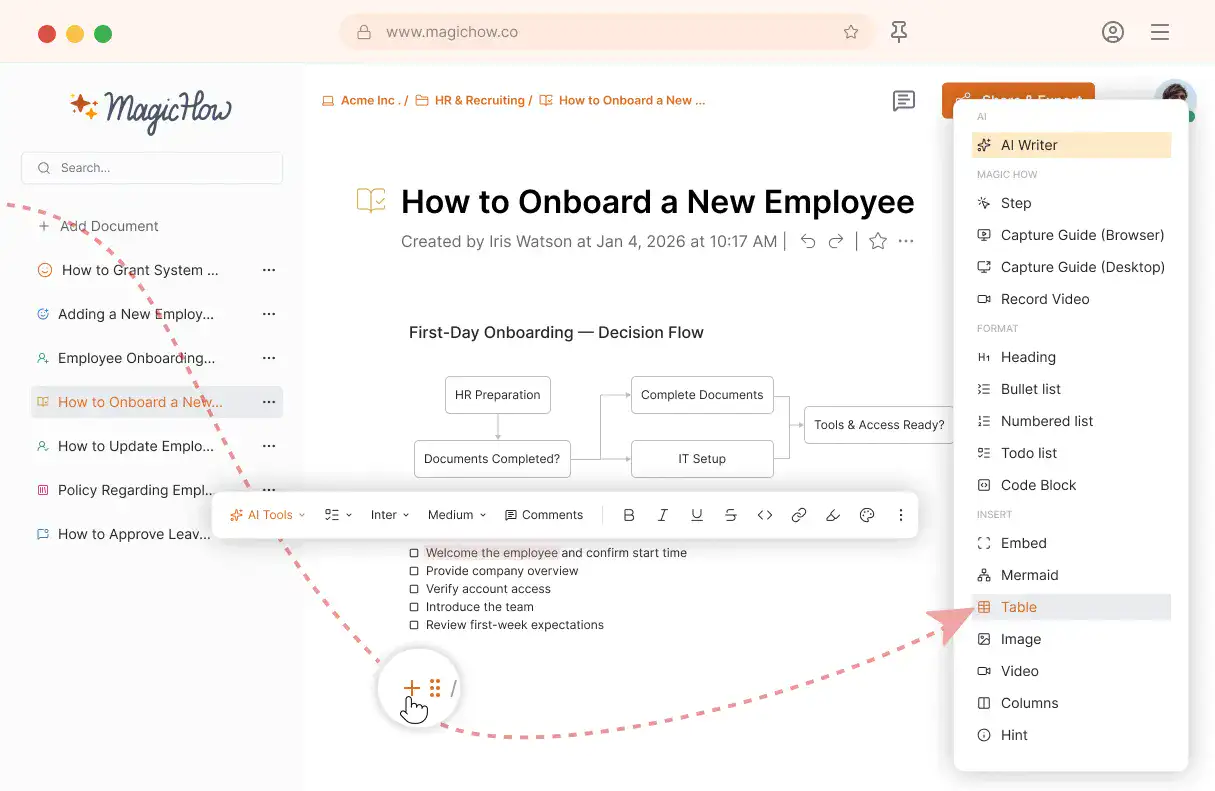
Advanced Guide Editor
Add tables, diagrams, hints, to-do lists, and more. Build tutorials and manuals that are structured, engaging, and easy to follow.
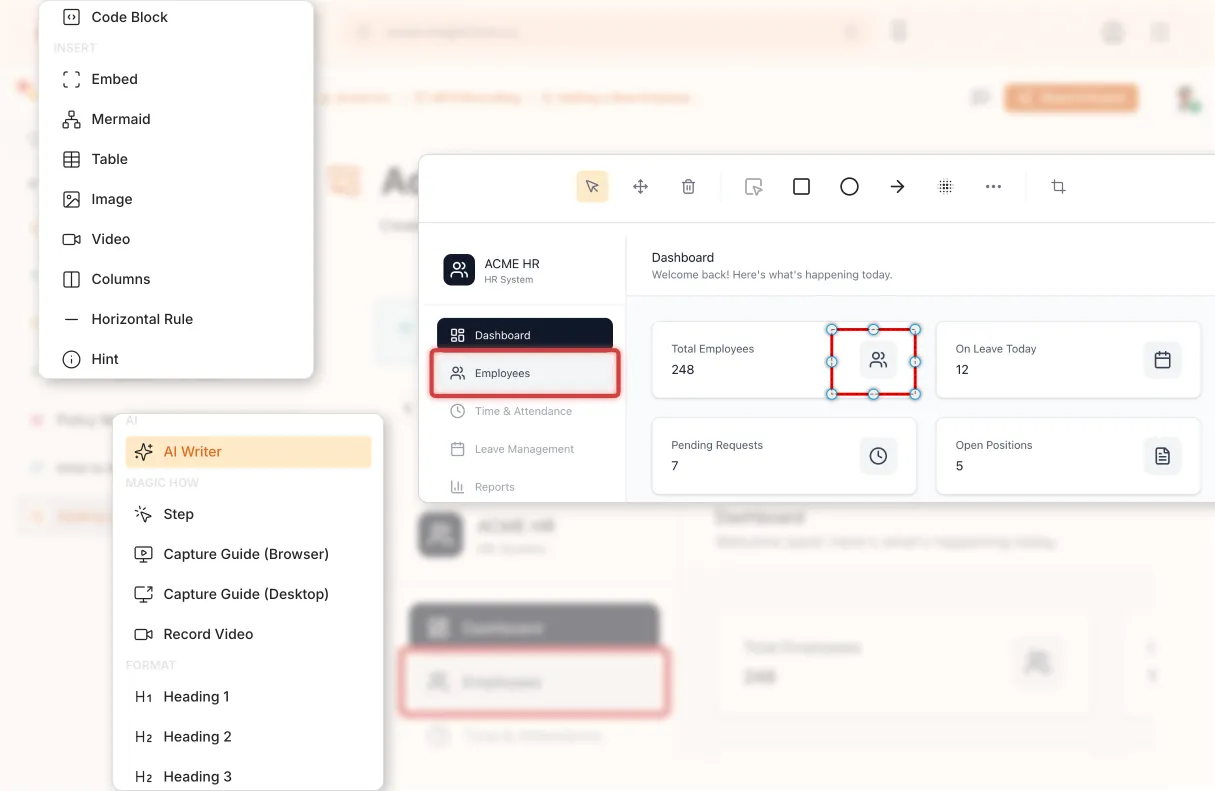
Annotate Screenshots
Highlight key areas, add notes, and provide context directly on screenshots. Make guides clearer and reduce confusion for your team or audience.
From Process to Guide in Minutes
Capture your process, create a clear guide, customize it with AI, and share it with your team.
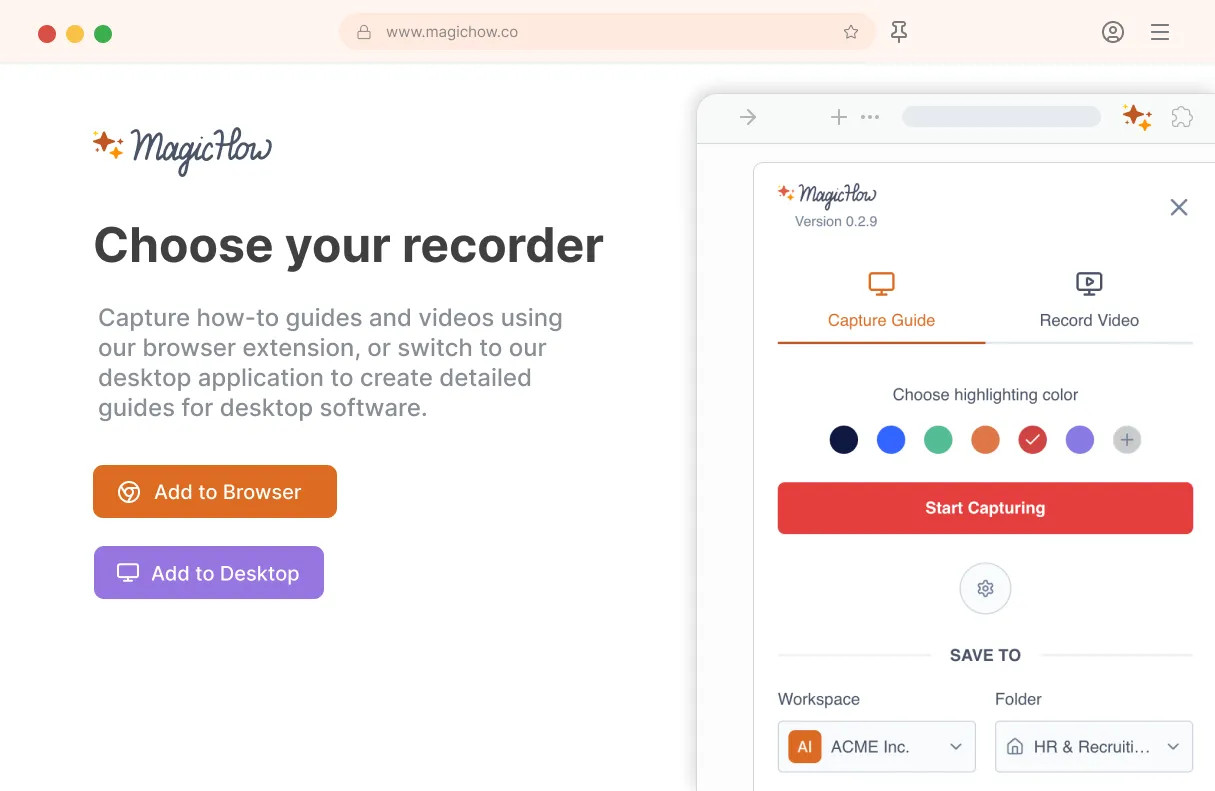
Install MagicHow
Install MagicHow in your browser or on your desktop to start capturing processes across any software in minutes.
- Works in your browser
- Works on desktop (Mac & Windows)
- Works across any software
- Fast, simple, accurate
- Ready in minutes
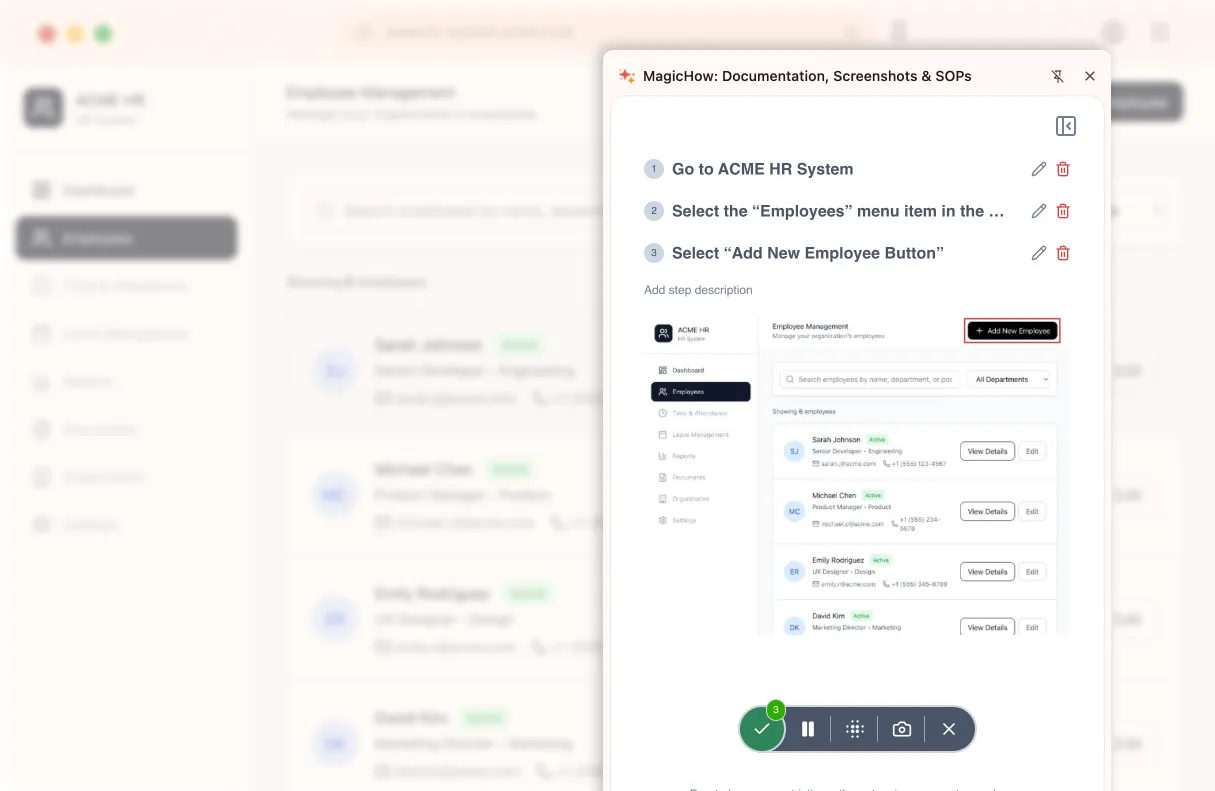
Capture your process
Turn everyday work into documentation by capturing your process as you complete it.
- Creating guides while working
- Record any software process
- Turn actions into steps
- No manual writing needed
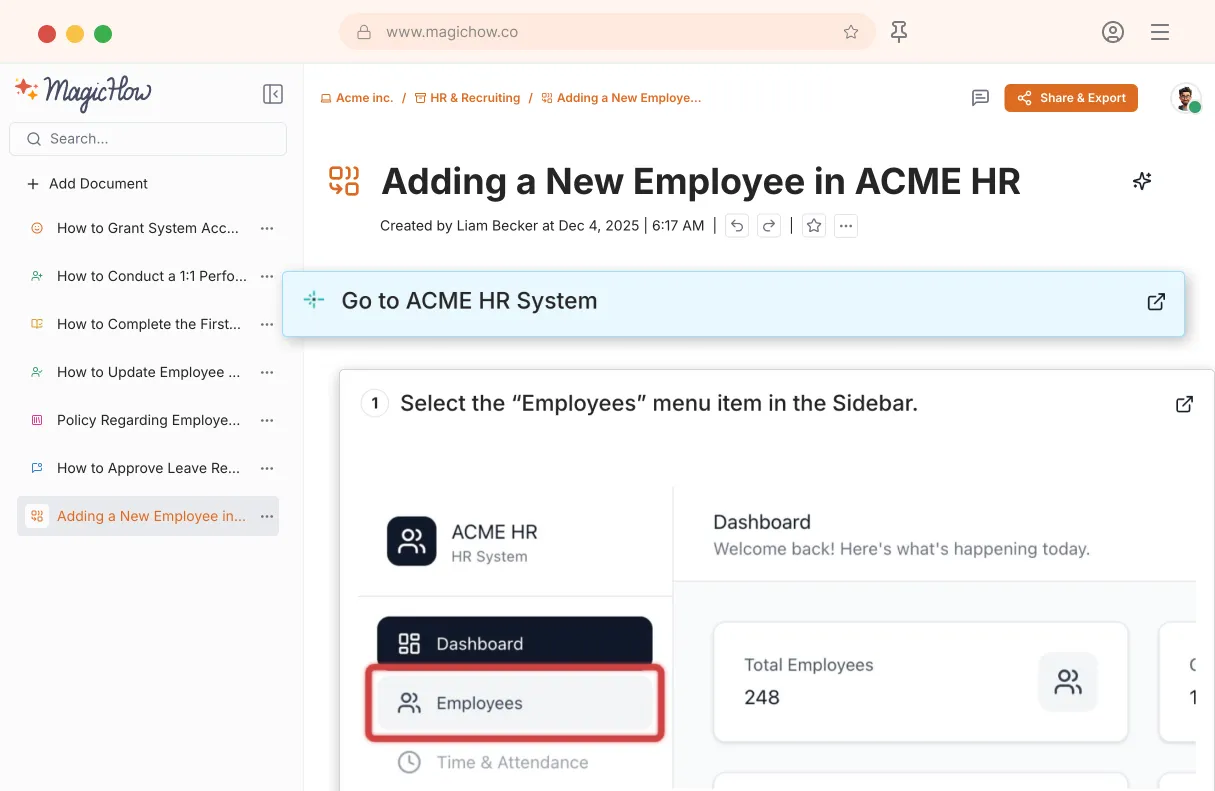
Save your capture
Save your recording, and MagicHow generates a clean, complete step-by-step guide from your actions.
- Turns actions into instructions
- Clean step-by-step output
- No steps missed
- One capture becomes documentation
Edit and customize
Quickly improve your guide with edits, AI polishing, and rich content like notes, links, videos, and diagrams.
- Add notes and tips
- Blur sensitive information
- Polish guides in minutes with AI
- Insert links and resources
- Add videos and diagrams

Share with your team
Share guides securely with your team, control access, embed in documentation, or export in multiple formats.
- Invite users to your workspace
- Keep knowledge centralized
- Send public access link
- Export PDF, Word, Markdown
- Control access rights
- Embed in your documentation
Turn Processes Into Visual Guides. Rationalize Workflow
With MagicHow, you can document any process, creating instructional materials to enhance your team's expertise. For some processes, guidance is crucial – and that's where MagicHow's mission begins!
Process Documentation
Provide your employees with instructions, SOPs, and how-to guides that cover all your team's needs in the knowledge of how the processes in the projects are performed. Help your teammates always be on the ball.
Learn moreOnboarding
Back up the onboarding process with clear and concise instructions on how to start a career at your company. Introduce your new team members to the corporate software tools and digital environment. Speed up the settlement of formalities.
Learn moreImplementing Tools
By creating detailed visual guides, you can incentivize the adoption of new software tools by your employees. Implementing innovations can be either challenging or effective and comfortable. If you're inclined toward the second option, turn to MagicHow.
Learn moreAnswering FAQs
Say yes to automated and swift knowledge transfer in opposition to repetitively answering the same questions every time one of your colleagues needs a hint. Create how-to guides and add them to your knowledge base, optimizing your company's workflow.
Learn moreCreating a Knowledge Base
MagicHow allows your knowledge base to evolve at a neck-breaking speed. If you need about several minutes to create a visual guide, you can create hundreds of them in a month! With a magical guide builder under your belt, you can let your knowledge base evolve easily.
Learn more
Focus on What Truly Matters
Pave your way to success instead of answering the same questions and sharing the same advice with customers, colleagues, trainees, and the whole world. Let MagicHow automate the creation of informative and stylish guides for you.
Learn what's new
Latest articles, tips and product updates — stay in the loop with our blog.
FREE Universal SOP Template (And How to Write Your Own)
Use a free universal SOP template and learn how to write clear, effective procedures for any team or industry.

Top 7 SOP Software Tools for 2026: Here's What to Pick
Discover the right SOP software to optimize your business. Save hours by creating easy-to-follow guides and manuals in minutes.
Top 10 Business Process Documentation Software Compared
Compare top 10 business process documentation software to boost onboarding, productivity, and workflow efficiency.
Got Questions?
If you can't find what you're looking for, get in touch.
Do I Need Special Skills to Use MagicHow to Create Step-by-Step Guides and Other Instructions?
No, you don't need any special skills to use our tool. It's intuitive and easy to use. Although reading a short manual is recommended, you can also learn by practicing. Once you've created your first guide, you can consider yourself a skilled user. You don't even need to be experienced in creating presentations and other visual products. Our tool will break down the process into steps, offer you titles, and write descriptions. All that is expected from you is to make some amendments to customize your how-to guide, instruction, manual, or training materials.
Can I Use MagicHow on My Laptop, Desktop, Tablet, or Smartphone?
You can use MagicHow on any device you find convenient, as we have two versions of the tool: the desktop and the browser. The browser version is compatible with Chrome, Firefox, Edge, and Safari. All versions have all the features necessary to create an informative and visually attractive step-by-step guide. With all versions, you're expected to spend up to five minutes creating the short instruction and about fifteen minutes for a medium-length one. All versions of MagicHow have an intuitive interface, perform quickly, and provide you with the same high-quality results.
How Can I Create a How-to Guide with MagicHow?
To create an instruction, a manual, or other guiding document, you should go through the process you describe. A program will document every step you make and compose a comprehensive and illustrative guide. Here is your course of action:
Sign-up on MagicHow and Install Browser Extension (Chrome, Firefox, Edge)
Start the recording process.
Review an automatically created guide and edit it if needed.
Share a guide with a link, download it as PDF, copy it as HTML or Markdown, or embed it.
Your guides and instructions are visible in the dashboard, where you can organize them most conveniently.
How Can I Edit My How-to Guide?
There are several features available to improve your instruction: make it clearer, more focused on important details, and aligning with your target audience's perceptions. You can use the following options to customize your guide:
edit descriptions and add tips;
blur sensitive data;
add annatations and notes;
play with colors and fonts.
You can make changes either right after recording or later on. If you share the link or embed your guide, it will update as soon as you add changes to the original document.
How Can I Deliver My MagicHow Guide to My Audience?
You can choose the most appropriate option from a few alternatives to reach out to your readers most effectively. Here is a list of opportunities:
Share a link. It can be done the same way as sharing a Google Docs link. Your guide’s visibility will match your access settings: you can either provide access to everyone who has a link or particular persons.
Collaborative access. Share project or guide with your colleagues, trainees, stakeholders, customers, and anyone else involved.
Download a guide as PDF. This option is the most suitable for keeping a guide intact. Users will be able to view your step-by-step guide on any device and operating system.
Copy as HTML or Markdown. You can paste this piece of content to a third-party website retaining its formatting. Pay attention: when using this option, the shared content doesn’t change if you amend the original document.
Embed your guide. You can integrate your content into Confluence, Guru, Notion, Zendesk, Wordpress, and other digital environments for sealess collaborative work.
With all mentioned options under your belt, you can send your how-to guide directly to your audience quickly and easily.
How Much Does It Cost to Use MagicHow?
The basic features are accessible to everyone for FREE. The basic functions are sufficient for creating a concise, visually appealing, informative, and customized step-by-step guide, instruction, manual, or tutorial. A free basic version allows you to use the browser extension to create step-by-step guides and share them with your audience. Some additional features, such as a step recording tool for desktop (MacOS or Windows), blurring sensitive information, annotating are available only in the advanced version of MagicHow. You can switch from the free to the advanced subscription at any time.